Ecommerce
Ghost mannequin AI: product photos without Photoshop
The ghost effect shows a garment's shape without the mannequin. It used to take two photos and some Photoshop work. Now one good photo is enough.
2 min read
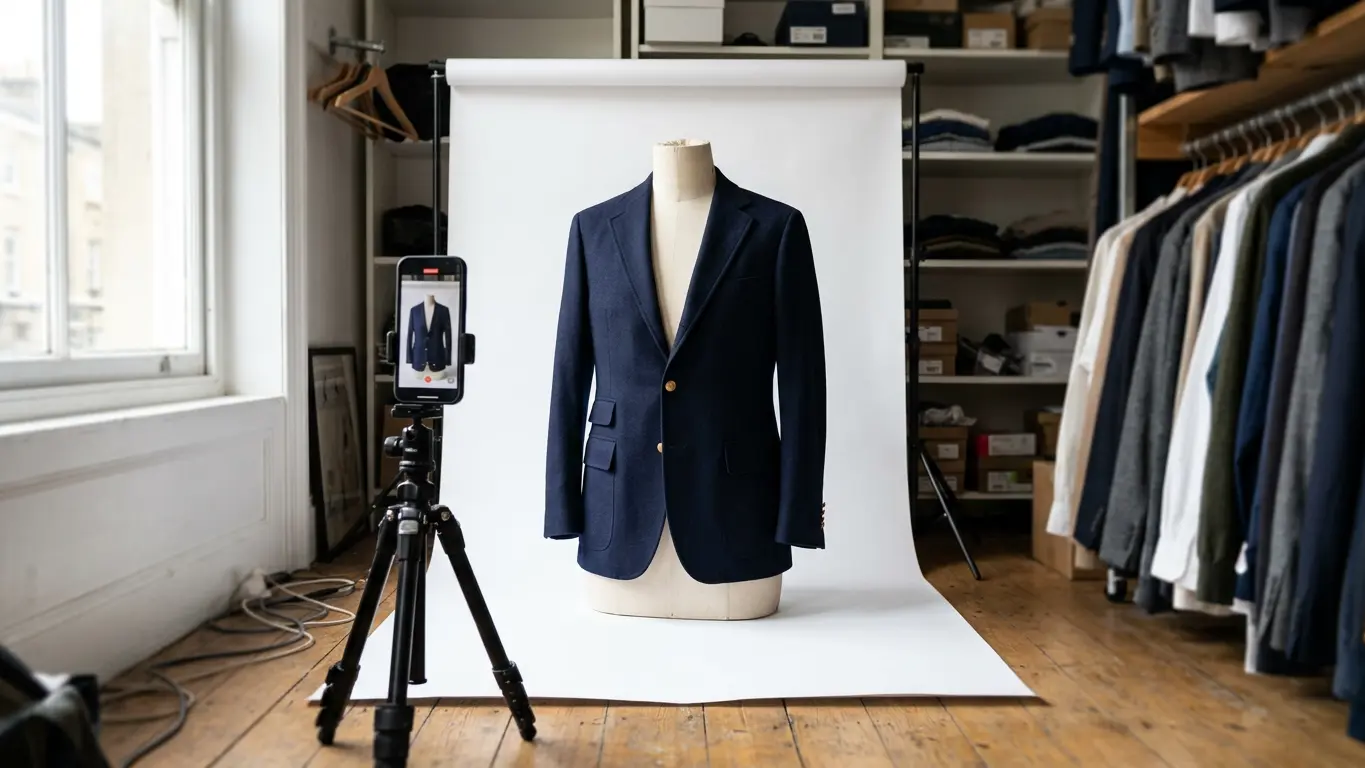
A ghost mannequin photo shows a garment as if someone invisible were wearing it. You see the volume, the collar and how it hangs, with no mannequin or model in the shot. Doing it by hand takes time. With ghost mannequin AI you start from one photo and the white background comes ready.
How it used to be done
The studio method is well known. You photograph the garment on a mannequin, turn it inside out to shoot the inside of the neck, then combine the two in Photoshop and remove the mannequin. It works very well, but every piece needs two photos and some retouching. With a hundred products, that's a lot of evenings.
What photo the AI needs
On Amondu the tool is Product photos. You upload a photo of the garment on a hanger, on a table or on your shop mannequin, choose ghost mannequin, and get it back on pure white from edge to edge. To get a good result:
- Hang the garment on a plain wall or door with nothing else in the shot.
- Use daylight and no flash, which flattens the fabric and shifts the color.
- Get the whole garment in, hem and both sleeves included.
- Upload JPG, PNG, WebP or HEIC, up to 25 MB per photo.
What to check before you publish
The AI rebuilds the parts it can't see, like the inside of the collar or the back. It usually gets them right, but look at the photo with the garment in front of you. Check that the color is the real one, the collar has its actual shape, and buttons, pockets and seams are where they should be.
If a marketplace rejects a photo because of the background, let us know. The photos are made to have pure white (#FFFFFF) from edge to edge.
Each photo takes about a minute and comes out at 2K. You see the credits before you generate, and failed generations aren't charged. Plans are on the pricing page.
Ghost mannequin, flat lay or on-model
Each format has its place. Ghost mannequin works well as the main image on marketplaces that want a white background, because it shows the shape without distractions. Flat lays suit accessories and small items. And an on-model photo is what best helps a shopper picture it on.
Most stores combine them: ghost mannequin as the main image and an on-model photo second. To add that second one, see how to go from a flat lay to an on-model photo or go straight to Garment → Model.
Frequently asked questions
Do I need a mannequin to take the photo?
No. You can start from a photo on a hanger, on a table or on a mannequin. What matters is that the whole garment is in the shot and well lit.
Do these photos work for Amazon and other marketplaces?
That's what they're made for: pure white background from edge to edge. Still, check each marketplace's rules before you upload.
What happens if a generation fails?
You aren't charged. Credits are reserved when the job starts and only spent when you get the result.